
All labs
Showing 8 labs
-
 Tool
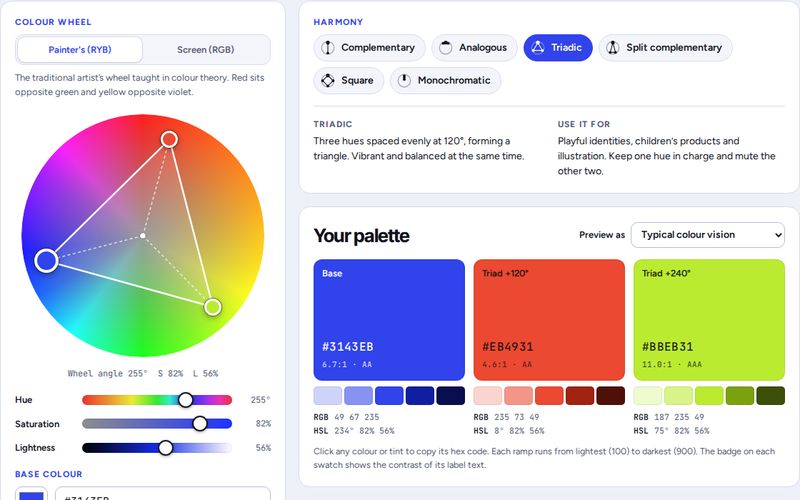
ToolColour Theory Lab
Build colour harmonies on a painter’s or screen wheel, check contrast and colour-blind safety, and see your palette on a poster and a web page.
- Colour wheel
- Contrast check
- Palette export
-
 Game
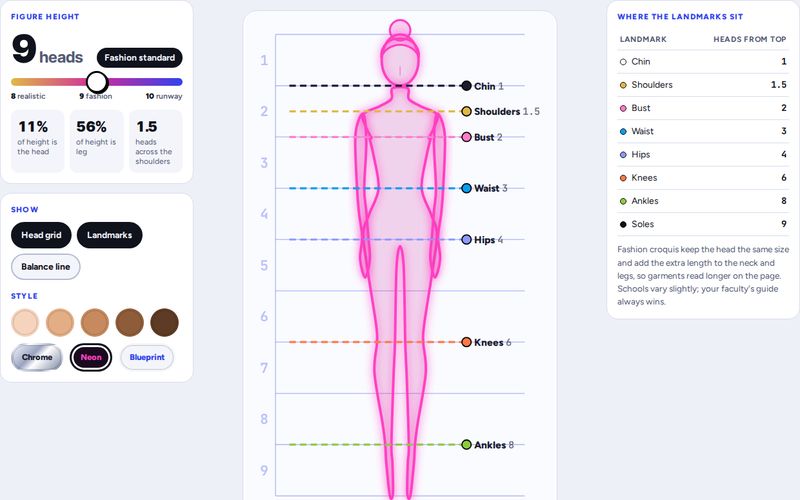
GameCroquis Lab
Stretch a fashion figure from 8 to 10 heads, see where every landmark sits, then race the clock to drag the body lines into place.
- 8 to 10 heads
- Timed challenge
- Sound effects
-
 Tool
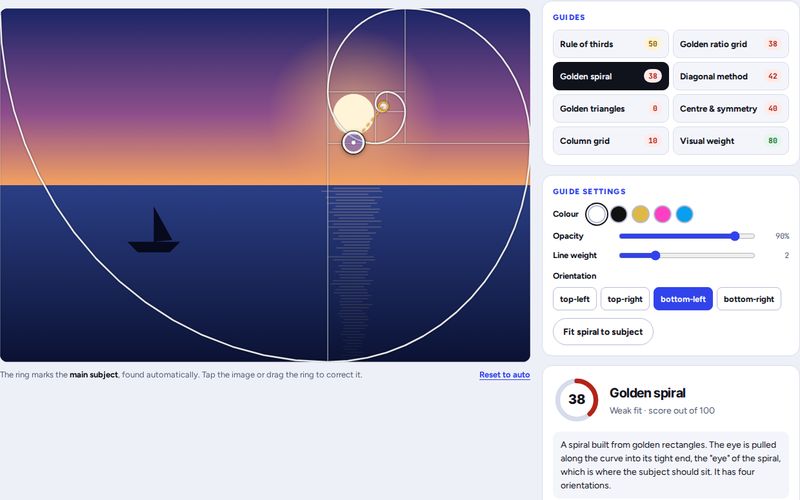
ToolComposition Lab
Lay the golden ratio, rule of thirds, golden spiral and six more guides over any image. Each guide is scored with what works and what doesn’t.
- 9 guides
- Smart crop
- Upload your image
-
 Simulator
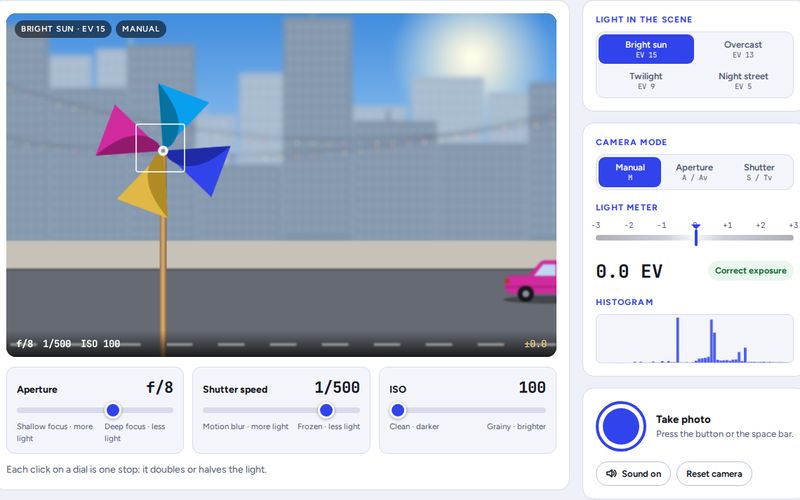
Exposure Triangle Simulator
Change aperture, shutter speed and ISO on a virtual camera and watch depth of field, motion blur and noise react. Take photos and beat the challenges.
- Aperture · shutter · ISO
- Live histogram
- Camera challenges
-
 Simulator
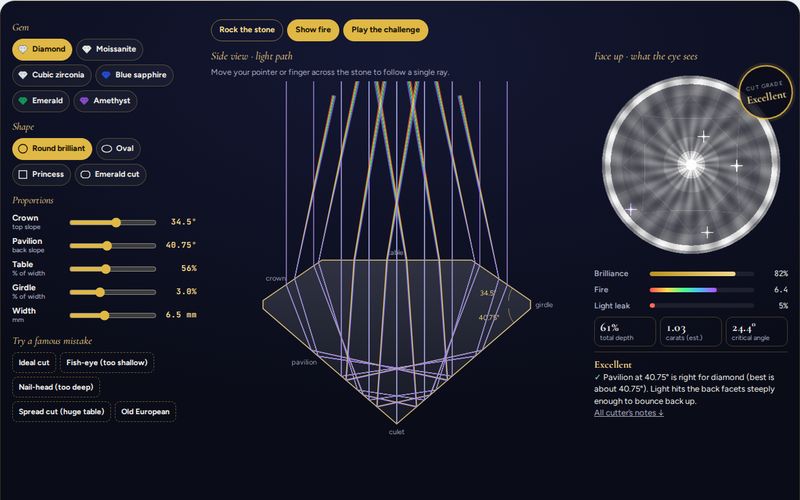
Gem Cut Light Simulator
Shape a gem’s crown, pavilion and table and watch light rays bounce inside it. Earn Excellent in the master cutter challenge.
- Light ray tracing
- 6 gems · 4 shapes
- Cut report
-
 Calculator
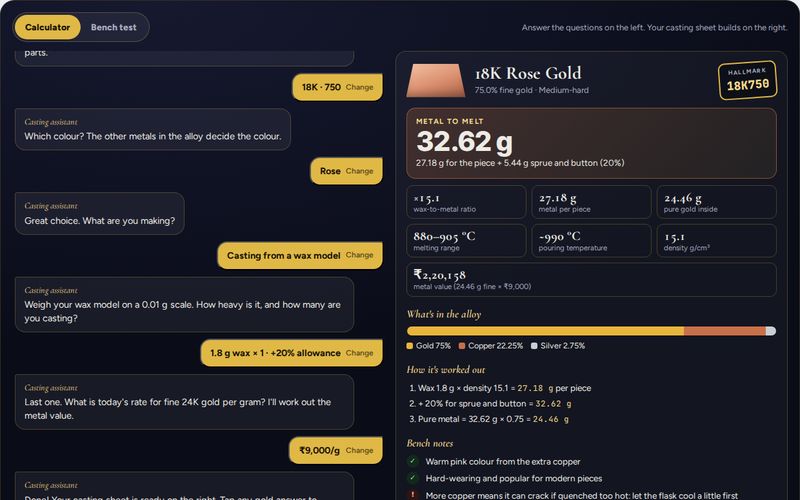
Metal, Karat & Casting Calculator
A casting assistant asks about your metal and piece, then works out the metal to melt, hallmark, alloy mix and cost. Finish with the bench test.
- Wax-to-metal
- Hallmarks
- Bench test
-
 Game
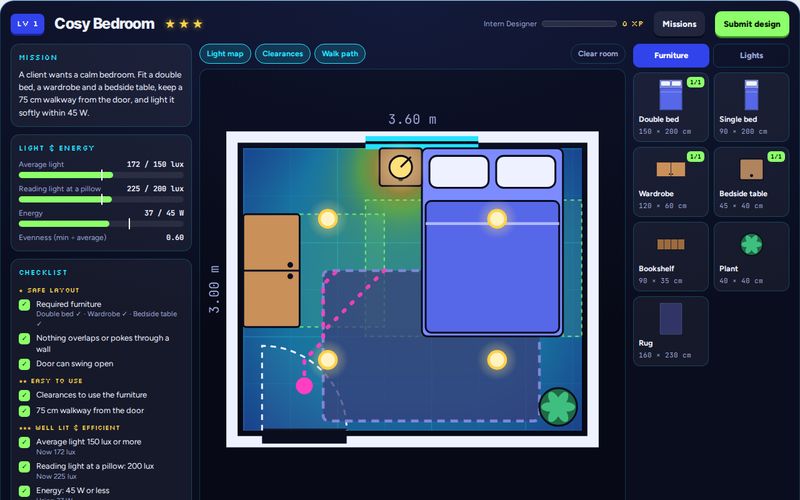
GameRoom & Light Quest
Drag furniture and lights into real-size rooms, keep walkways and clearances open, hit the lux targets within the energy budget and earn three stars.
- Drag and drop
- Lighting map
- 3 missions
-
 Simulator
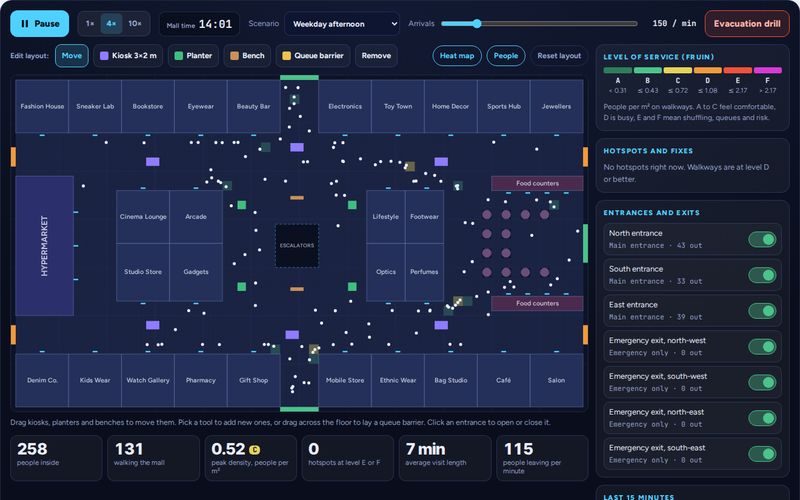
Mall Crowd Flow Simulator
Hundreds of shoppers walk a 120 × 70 m mall in real time. Move kiosks, close entrances, read the density heat map and run an evacuation drill.
- Live heat map
- Editable layout
- Evacuation drill
Key features
What you can do with DIA Design Labs.
Eight interactive labs
Tools, games and simulators across fashion, communication, jewellery, interior and luxury product design.
Instant feedback
Every lab scores your choices and explains what works and what does not.
Challenges and games
Timers, levels and stars turn theory into practice.
Free and private
No sign-up, no downloads. Your work stays in your browser.
Phone and desktop
Each tool adapts automatically to your screen.
Built by designers
Created by IMS DIA faculty around real studio topics.
How it works
Get started in a few steps.
- Filter the labs by your design department.
- Open a tool, game or simulator.
- Play with the controls and read the live feedback.
- Try the challenge mode to test what you learned.
- Explore related labs and IMS DIA courses.
Why use this toolkit
Practical benefits for students and designers.
Learn by doing
Design is a practical skill. These labs let you try ideas instantly.
Fill the gaps
Understand tricky topics such as colour harmony, exposure or gem light return.
Prepare for D-DAT
Build the visual thinking that design aptitude tests look for.
Explore careers
Try different design fields before choosing a specialisation.
Who is it for?
Made for learners and working designers.
- School students exploring design careers
- Design entrance exam aspirants
- Fashion, communication, jewellery, interior and luxury product design students
- Working designers who want quick reference tools
- Teachers and parents supporting design learners
Related design concepts
The ideas behind the toolkit, in brief.
Design fundamentals
Colour, composition, proportion and light are shared by every design discipline.
Materials and making
Jewellery and product designers need to understand how metals and stones behave.
Human-centred space
Interior designers plan for how people move, see and feel in a space.
Visual communication
Photography and layout turn ideas into images that communicate clearly.
Related IMS DIA courses
Study these topics in depth at IMS Design & Innovation Academy, Noida.
Design tools by department
Jump straight to the labs for your discipline.
Frequently asked questions
What are DIA Design Labs?
DIA Design Labs is a free collection of interactive design tools, games and simulators by IMS Design & Innovation Academy, Noida.
Are these design tools free?
Yes. All labs are free, need no sign-up and run in your browser.
Who can use these tools?
Design students, entrance exam aspirants, working designers and anyone curious about design.
Do the tools work on mobile?
Yes. Every lab is responsive and works on phones, tablets and desktops.
Will more tools be added?
Yes. New labs are added through the year across all design departments.
How can I study design at IMS DIA?
Explore our B.Des and B.Sc. programmes, take the DIA Design Aptitude Test (D-DAT) and apply online.
Turn practice into a design career
Study design at IMS Design & Innovation Academy. Explore the course, take the DIA Design Aptitude Test (D-DAT) or apply now.